 goome
Windows and layout
Windows
double x = 16, y = 16, w = 340, h = 0;
int open = 1;
if (goome_ui_window(u, "Settings", &x, &y, &w, &h, GOOME_WIN_MOVE | GOOME_WIN_RESIZE | GOOME_WIN_CLOSE, &open)) {
    goome_ui_label(u, "inside");
}
goome_ui_window_end(u);
bool open = true;
if (ui.Window("Settings", ref x, ref y, ref w, ref h, WindowFlags.Move | WindowFlags.Resize | WindowFlags.Close, ref open))
    ui.Label("inside");
ui.WindowEnd();
win = goome.Window(16, 16, 340)
with ui.window("Settings", win, goome.WIN_MOVE | goome.WIN_RESIZE | goome.WIN_CLOSE) as shown:
    if shown:
        ui.label("inside")
Window win = new Window(16, 16, 340, 0);
if (ui.window("Settings", win, Ui.WIN_MOVE | Ui.WIN_RESIZE | Ui.WIN_CLOSE)) ui.label("inside");
ui.windowEnd();
Always call goome_ui_window_end, even when goome_ui_window returned 0 (collapsed or closed).
| Flag | What |
|---|---|
GOOME_WIN_MOVE |
drag it by the title bar |
GOOME_WIN_RESIZE |
a resize grip in the bottom right corner |
GOOME_WIN_COLLAPSE |
the little arrow that folds it to just the title |
GOOME_WIN_CLOSE |
an x that sets *open to 0 |
GOOME_WIN_NO_TITLE |
no title bar at all |
h = 0 means fit the content. Windows stack in the order you click them, the last one clicked is on top.
Rows and lines
Widgets stack one under the other. Most fill the width, buttons are as wide as their label.
goome_ui_row(u, 3)puts the next 3 widgets side by side, sharing the widthgoome_ui_same_line(u)puts the next widget right of the last onegoome_ui_width(u, 120)makes the next widget 120 wide (0 = fill)goome_ui_space(u, 12)adds a gapgoome_ui_separator(u)draws a line
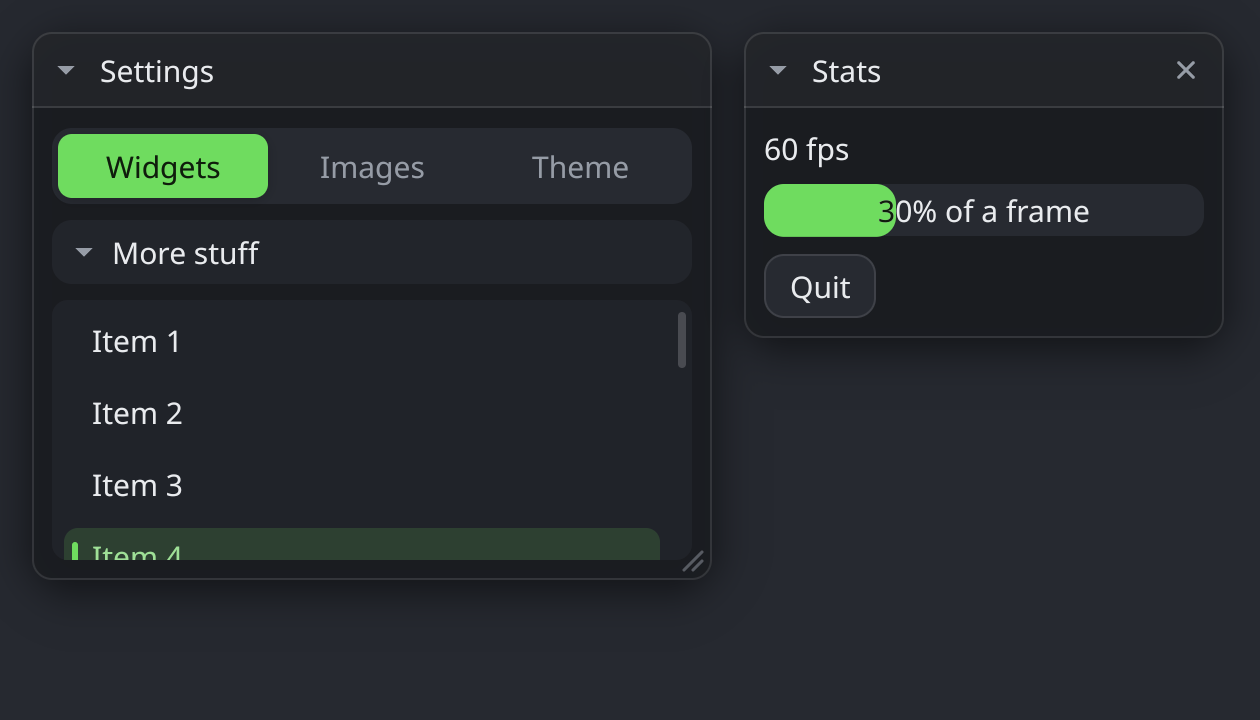
Tabs and collapsing sections
static const char *const tabs[] = {"Widgets", "Images", "Theme"};
int tab = 0, more = 1;
goome_ui_tabs(u, "tabs", tabs, 3, &tab);
if (goome_ui_collapsing(u, "More stuff", &more)) {
    goome_ui_label(u, "only shows while open");
}
Scroll areas
goome_ui_scroll_begin(u, "list", 130);
for (int i = 0; i < 100; i++) goome_ui_label(u, "row %d", i);
goome_ui_scroll_end(u);
Height 0 fills the rest of the window. Always call goome_ui_scroll_end. They nest, the wheel scrolls the innermost one under the mouse.