 goome
App mode and menus 0.2
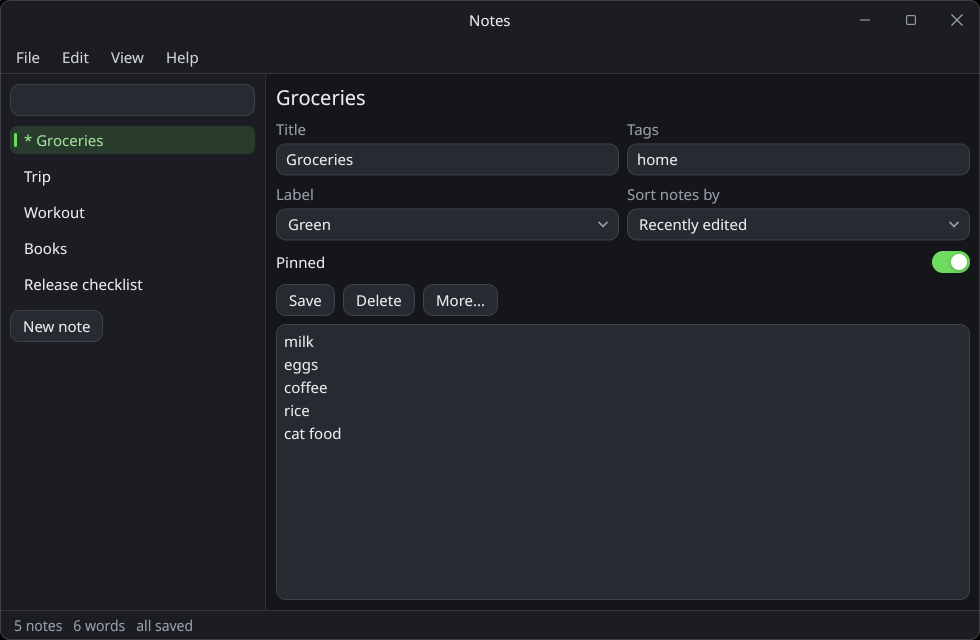
goome_ui_app makes the UI fill the whole window, for window mode apps.
goome *g = goome_open_app("Notes", 960, 640, NULL);
goome_ui *u = goome_ui_new(g);
char note[4096] = "";
int dark = 1, about = 0, running = 1;

while (running) {
    goome_event ev;
    while (goome_poll(g, &ev, 16) > 0) {
        if (ev.type == GOOME_CLOSE || ev.type == GOOME_QUIT) running = 0;
        goome_ui_feed(u, &ev);
    }
    if (!goome_ui_begin(u, 0)) continue;
    if (goome_ui_app(u, "Notes", GOOME_APP_MENUBAR | GOOME_APP_STATUSBAR)) {
        if (goome_ui_menubar_begin(u)) {
            if (goome_ui_menu_begin(u, "File")) {
                if (goome_ui_menu_item(u, "Save", "Ctrl+S", NULL)) goome_ui_toast(u, "saved", 2000);
                goome_ui_menu_separator(u);
                if (goome_ui_menu_item(u, "Quit", "Ctrl+Q", NULL)) running = 0;
                goome_ui_menu_end(u);
            }
            if (goome_ui_menu_begin(u, "View")) {
                goome_ui_menu_item(u, "Dark theme", NULL, &dark);
                goome_ui_menu_end(u);
            }
            if (goome_ui_menu_begin(u, "Help")) {
                if (goome_ui_menu_item(u, "About", NULL, NULL)) about = 1;
                goome_ui_menu_end(u);
            }
            goome_ui_menubar_end(u);
        }
        goome_ui_text_edit(u, "note", note, sizeof(note), 0, GOOME_EDIT_WRAP);
        goome_ui_statusbar(u, "ready");
    }
    goome_ui_app_end(u);
    if (goome_ui_modal_begin(u, "About", &about)) {
        goome_ui_label(u, "notes, made with goome %s", GOOME_VERSION);
        if (goome_ui_button(u, "Close")) about = 0;
        goome_ui_modal_end(u);
    }
    goome_ui_end(u);
}
The app panel
goome_ui_app(u, title, flags) is a root panel that fills monitor 0 (the window, in window mode). Call it right after goome_ui_begin, and goome_ui_app_end after its content. It returns 1.
| Flag | What |
|---|---|
GOOME_APP_TITLEBAR |
draws its own title bar: drag it to move the window, double click to maximize, and min / max / close buttons. Close pushes a GOOME_CLOSE. On a borderless window it also adds edge resize handles with the right cursors |
GOOME_APP_MENUBAR |
room for a menu bar at the top |
GOOME_APP_STATUSBAR |
a status bar at the bottom, set its text with goome_ui_statusbar |
GOOME_APP_NO_PAD |
no padding around the content |
GOOME_WINDOW_BORDERLESS plus GOOME_APP_TITLEBAR looks the same on every OS. Moving and resizing still go through the OS, the title bar uses goome_window_drag.
Menus
goome_ui_menubar_begin returns 1 when it can draw menus. Each goome_ui_menu_begin returns 1 while that menu is open, and they nest for submenus. Always close what returned 1 with the matching end.
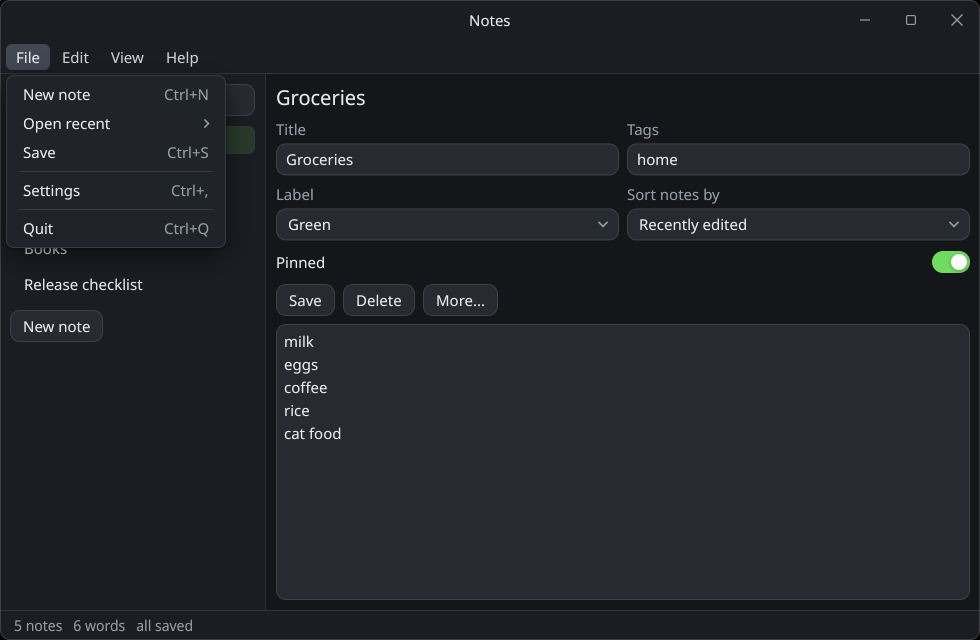
goome_ui_menu_item(u, label, shortcut, checked) returns 1 when clicked. The shortcut is just text, handle the key yourself. Pass an int for checked and the item toggles it and shows a check.
Right click menus
goome_ui_selectable(u, "todo.txt", 0);
if (goome_ui_context_begin(u, "file")) {
    if (goome_ui_menu_item(u, "Rename", NULL, NULL)) start_rename();
    if (goome_ui_menu_item(u, "Delete", "Del", NULL)) delete_file();
    goome_ui_context_end(u);
}
goome_ui_context_begin opens on a right click on the widget right before it, or on empty window space if there isnt one. Close it with goome_ui_context_end when it returned 1.
Popups and modals
goome_ui_popup_open(u, id)opens a popup, thengoome_ui_popup_begin(u, id)/goome_ui_popup_end(u)draw it while its open.goome_ui_modal_begin(u, title, &open)is a centered dialog that dims everything behind it. Esc closes it by settingopento 0.goome_ui_popup_close(u)closes the innermost open popup, menu or modal, from inside it.
Toasts and the status bar
goome_ui_toast(u, text, ms) shows a note bottom right for ms ms, then fades. They stack. goome_ui_statusbar(u, text) sets the status bar text, call it every frame you want it shown.
Cursors
The UI sets the cursor itself (text beam over inputs, resize arrows on edges and splitters, hand on links). In offscreen mode read it with goome_cursor_shape.