 goome
Overlay mode
The default, and what goome always did. One see-through, always on top window over every monitor. Only the rects you pass to goome_end take clicks, everything else goes through to whatever is under it.
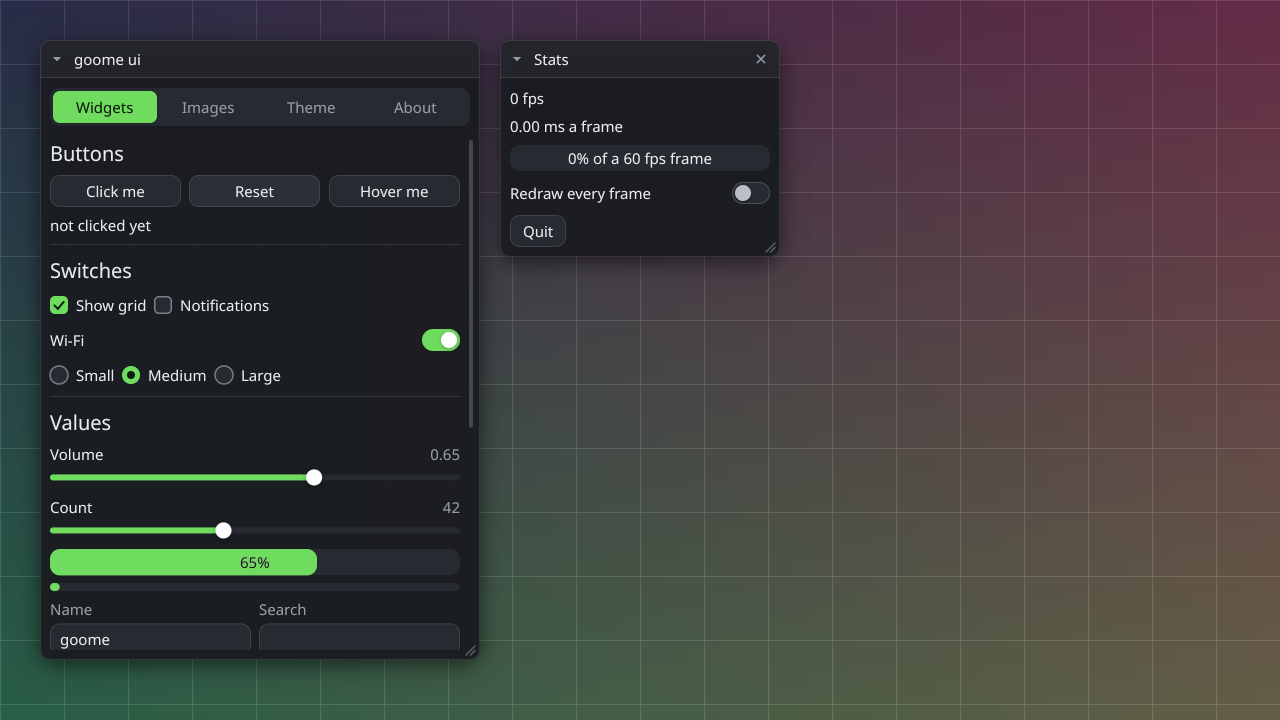
The ui demo. Only the two windows take clicks, the grid behind is the “desktop” and gets everything else.
How it shows up on each desktop
| Where | What goome uses |
|---|---|
| sway, Hyprland, river, wayfire, labwc, niri, KDE Plasma 6, COSMIC | one layer-shell surface per output on the overlay layer |
| GNOME on Wayland, Cinnamon and other Wayland desktops | an X11 window on XWayland |
| any X11 desktop | one ARGB override-redirect window over the root, input shape = your hits |
| Windows 10 / 11 | one layered topmost window per monitor |
| macOS 14+ | one borderless NSPanel per screen at screensaver level |
Capture and hotkeys too: Where it works.
Things to know
Keyboard is off until goome_keyboard(g, 1), otherwise you couldnt type in any other app. Turn it back off with goome_keyboard(g, 0) when youre done. The UI kit does it for you when a text input has focus.
Poll at least every ~30 ms while anything clickable is up. On Windows and Mac click-through gets toggled as the mouse moves and that happens inside goome_poll.
An empty canvas costs about nothing, the backends drop their buffers or unmap the window.
On Linux the overlay shows up in your own grabs, see Screen capture to mask it out.
Also: Hit rects, Coords and monitors.